Meta has officially launched WhatsApp Plus in India — the first-ever paid subscription plan for the world’s most popular messaging app. At just Rs 79 per month, the plan offers a range of customisation features that the free version has never provided. Moreover, new subscribers get a one-month free trial before any charges apply. Here is everything you need to know about WhatsApp Plus — what it offers, how much it costs, how to activate it, and whether it is worth your money.
WhatsApp Plus India — Key Details at a Glance
| Plan Name | WhatsApp Plus |
| Price in India | Rs 79 per month |
| Free Trial | 1 month free for new subscribers |
| Available On | Android and iOS |
| Launched By | Meta |
| Billing | Recurring monthly (auto-renews until cancelled) |
| Key Features | Custom themes, 14 new icons, 18 colour options, AI emojis, extra pinned chats, custom ringtones |
What Is WhatsApp Plus?
WhatsApp Plus is Meta’s official premium subscription tier for WhatsApp. Notably, this is entirely different from the unofficial “WhatsApp Plus” APK files that have circulated online for years. Those third-party apps violate WhatsApp’s terms of service and can get your account banned. The new WhatsApp Plus, by contrast, is a fully official, in-app subscription from Meta itself.
Furthermore, WhatsApp has always been free. This new plan does not change that — the core messaging, calling, and media-sharing features remain free for everyone. However, WhatsApp Plus unlocks a layer of visual customisation and personalisation that the free version does not offer.
WhatsApp Plus Price in India — Rs 79 Per Month
WhatsApp Plus costs Rs 79 per month in India. Additionally, Meta offers one month of WhatsApp Plus subscription free, after which you pay Rs 79 per month to continue.
The billing works as a recurring plan — meaning the charge automatically deducts every month until you cancel. Consequently, if you subscribe and forget to cancel, the charges will continue.
For comparison, Meta has also launched Instagram Plus at Rs 99 per month and Facebook Plus at Rs 99 per month in India.
WhatsApp Plus Features — What Do You Get?
Custom App Icons
Users can select from 14 new app icons, ranging from classic designs to artistic, textured versions. This means you can change how WhatsApp looks on your home screen — a feature Android users have long requested natively within the app.
18 New Colour Themes
The plan features 18 new colour options to change WhatsApp’s theme. Colours include Vibrant Blue, Royal Purple, Deep Navy, Bright Lavender, Charcoal Grey, Coral Orange, Forest Green, Teal, Burgundy, Earl Brown, Sandy Beige, Emerald Green, Bright Yellow, Olive Green, Fuchsia Pink, Crimson Red, Sunset Orange, and Golden Yellow.
In addition, multiple accent colour options are available for elements of the app like chat bubbles.
Custom Ringtones and Wallpapers
Users gain access to personalised ringtones and wallpapers as part of the WhatsApp Plus subscription. Therefore, you can set a unique notification tone for WhatsApp — distinct from your regular phone ringtone — and customise chat backgrounds as well.
AI-Generated Emojis
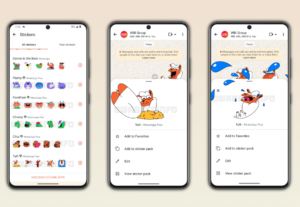
Meta has introduced WhatsApp Plus in India with AI emojis as one of its headline features. Users gain access to AI-generated emojis, which means you can create custom emoji-style stickers or expressions using artificial intelligence directly within the app.
Extra Pinned Chats
One of the benefits is the ability to pin more than one chat in the chat list. The free version of WhatsApp limits the number of pinned chats. WhatsApp Plus removes or expands that limit, so you can keep more important conversations at the top of your chat list.
Custom Chat Lists
Users gain access to custom chat lists with WhatsApp Plus. This allows better organisation of your conversations — particularly useful if you manage both personal and work chats on the same number.
How to Subscribe to WhatsApp Plus in India
On iOS
- Update WhatsApp to the latest version from the App Store.
- Open WhatsApp and go to Settings.
- Look for the WhatsApp Plus option.
- Tap on it and follow the on-screen steps to start your free trial.
On Android
WhatsApp Plus subscription is not yet available on Android devices for all users; however, all iOS devices can try it now. Update WhatsApp to the latest version and check Settings — the option will appear once Meta rolls it out to your account.
The feature is being introduced gradually across India, with full availability expected over time. So if you do not see WhatsApp Plus in your app yet, wait for the rollout to reach your account.
WhatsApp Plus — Is It Worth Rs 79 Per Month?
Who Should Subscribe
WhatsApp Plus makes sense if you spend a significant amount of time on WhatsApp and want a more personalised experience. Specifically, the plan suits:
- People who want to distinguish their WhatsApp from the standard look
- Users who manage multiple chats and need extra pinned conversations
- Anyone who enjoys customising their apps with themes and icons
- Those who want to use AI-generated emoji stickers in chats
Who Can Skip It
On the other hand, WhatsApp Plus may not be worth it if:
- You only use WhatsApp for basic messaging and calls
- You are not interested in visual customisation
- Rs 79 per month feels like an unnecessary recurring expense
In short, WhatsApp Plus is entirely optional. The core app remains free, and none of these features affect messaging functionality. They are purely cosmetic and organisational additions.
WhatsApp Plus vs Free WhatsApp — Quick Comparison
| Feature | Free WhatsApp | WhatsApp Plus (Rs 79/month) |
| Messaging and Calls | ✅ Yes | ✅ Yes |
| Custom App Icons | ❌ No | ✅ 14 new icons |
| Colour Themes | ❌ Limited | ✅ 18 new colours |
| Custom Ringtones | ❌ No | ✅ Yes |
| AI Emojis | ❌ No | ✅ Yes |
| Extra Pinned Chats | ❌ Limited | ✅ Yes |
| Custom Chat Lists | ❌ No | ✅ Yes |
| Custom Wallpapers | ❌ No | ✅ Yes |
| Free Trial | — | ✅ 1 month free |
WhatsApp Plus — Frequently Asked Questions (FAQs)
What is WhatsApp Plus?
WhatsApp Plus is Meta’s official paid subscription plan for WhatsApp. It costs Rs 79 per month in India and offers customisation features like custom themes, icons, ringtones, AI emojis, and more pinned chats.
Is WhatsApp Plus safe to use?
Yes. The official WhatsApp Plus from Meta is completely safe and built into the WhatsApp app itself. However, avoid any third-party APK files labelled “WhatsApp Plus” — those are unofficial and can get your account banned.
Can I try WhatsApp Plus for free?
Yes. Meta offers a one-month free trial for new subscribers. After that, the plan costs Rs 79 per month on a recurring basis.
Is WhatsApp Plus available on Android?
Currently, WhatsApp Plus is fully available on iOS. On Android, the rollout is gradual and ongoing. Update your WhatsApp to the latest version and check Settings for availability.
Will WhatsApp remain free if I don’t subscribe?
Absolutely. WhatsApp remains completely free for all users. WhatsApp Plus is an optional upgrade for those who want extra customisation features. Not subscribing does not affect messaging, calling, or any other core functionality.
How do I cancel WhatsApp Plus?
You can cancel WhatsApp Plus at any time through your device’s subscription settings — App Store on iOS or Google Play on Android. Cancelling stops future charges but lets you use the features until the current billing period ends.
Conclusion — WhatsApp Plus India
WhatsApp Plus brings official customisation to India’s most-used messaging app for the first time. At Rs 79 per month — with a free one-month trial — it is an affordable option for users who want to personalise their WhatsApp experience. Moreover, features like AI emojis, 18 colour themes, 14 custom icons, and extra pinned chats make the plan genuinely useful for heavy WhatsApp users. Nevertheless, if you only use WhatsApp for basic messaging, the free version continues to serve you just as well.
Try the one-month free trial and decide for yourself whether WhatsApp Plus is worth it for your daily use. Stay tuned to Mirrorly.in for the latest tech news, app updates, and digital trends.
📖 Also Read: GTA 6 Release Date India: November 19, 2026 — Price, Pre-Order & All Details